A no-code conversion feeder against a B2B SaaS attribution tool
AnyTrack vs Cometly
By Dana Rourke, Lead reviewer. Reviewed by Campaign Buyer Editorial. Updated 23 September 2026.
Quick answer
Pick AnyTrack if you run paid traffic to a Shopify store or affiliate offers and want conversions fed back to Meta, Google, TikTok and more through their conversion APIs without wiring server-side tracking yourself, with a free plan and a trial to prove it first; pick Cometly if you sell B2B SaaS or a subscription and need ad spend tied to Stripe revenue and CRM pipeline, from first click to closed-won. AnyTrack is the no-code conversion feeder for an ecommerce or affiliate operation. Cometly is the revenue-attribution layer for a software company whose sale closes in a CRM weeks after the click.
Side by side
| AnyTrack | Cometly | |
|---|---|---|
| What it is | No-code conversion feeder | B2B SaaS revenue attribution |
| Built for | Stores, own-site affiliates | B2B SaaS and subscriptions |
| What it measures | Conversions on your own site | Revenue in Stripe and your CRM |
| The sale it follows | A click-cycle sale or lead | A weeks-long, sales-assisted deal |
| Feeds conversions to | Six ad platforms, by CAPI | Seven ad platforms, by CAPI |
| Ad-spend sync | No | Ties spend to Stripe revenue |
| Multi-touch models | No | First, last, linear, U-shaped |
| Free way in | Free plan and 14-day trial | None; quote after a demo |
| Pricing model | By sessions, auto overage | Usage-based, quoted |
| Outside proof | Thin: 2 G2, Trustpilot 3.4 | 4.8 G2 (36), thinner elsewhere |
If you are down to AnyTrack and Cometly, the honest starting point is that these two feed the same machine and were built for two different businesses. Both sit under the word attribution, and both do the modern job of sending conversions back to the ad platforms server-side so the algorithms stop bidding on half-missing data. But AnyTrack is a no-code conversion feeder for someone running an ecommerce store or affiliate offers, and Cometly is a revenue-attribution tool for a software company whose sale closes in a CRM weeks after the click. The reader stuck between them is really deciding what they sell and how the money arrives, not which product is better made.
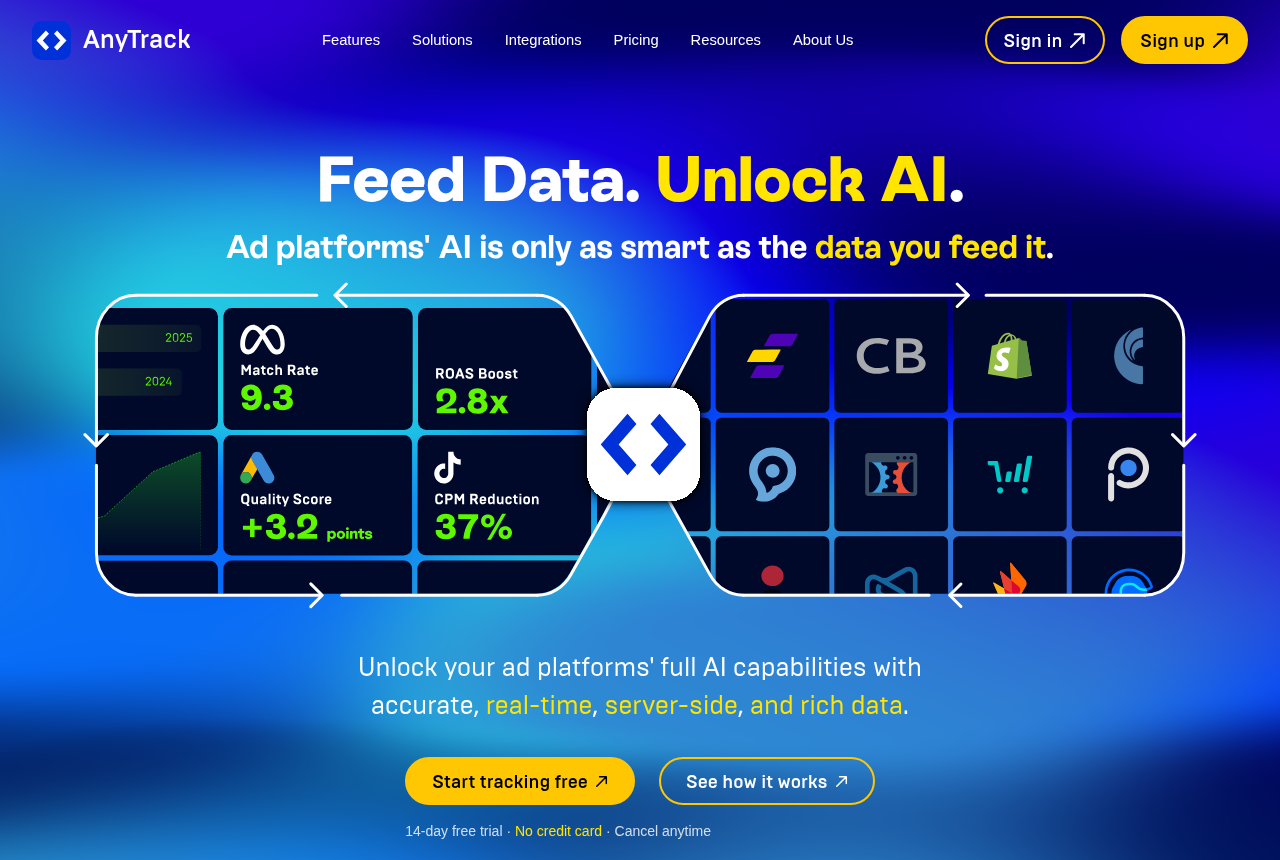
AnyTrack sits on your own site as a tag, watches every click, lead and sale, and pushes those conversions back to Meta, Google, TikTok and more through their conversion APIs, with 90-plus affiliate networks, ecommerce platforms and CRMs wired up out of the box. Cometly also runs server-side and feeds seven ad platforms, but it is built around Stripe revenue and CRM deal stages, so it can tell a software company which campaign produced a trial that became a paying subscriber. The pricing points the same way the products do: AnyTrack has a free plan and a metered, session-based bill you can read up front, while Cometly publishes no price and quotes a usage-based fee on a sales call. One is a self-serve feeder for a store or an affiliate; the other is a metered attribution layer for a software business.
The one question that decides it: what you sell
Answer this before you compare a single feature. Do you run paid traffic to an ecommerce store or to affiliate offers, where the sale or the lead happens on or near the click and you want the ad platforms to see clean conversion data? Or do you sell B2B SaaS or a subscription through a longer, sales-assisted funnel that closes in a CRM weeks after the click? If your problem is catching purchases and affiliate conversions on your own site and feeding them back so Meta and Google optimize toward buyers, that is AnyTrack's problem to solve. If your problem is knowing which campaign produced a trial that turned into recurring revenue, with MRR and LTV attached, that is what Cometly is for.
The business model is not a detail here, it is the decision. AnyTrack assumes a short cycle: an ecommerce checkout, a lead form, an affiliate offer that converts on click, and it leans on breadth of integrations so the conversion is caught wherever it happens. Cometly assumes a Stripe subscription or a CRM pipeline and a sale that takes weeks, which is why it writes pre- and post-form touch history onto each deal in HubSpot or Salesforce, the part a CRM's own tracking usually cannot see across a long journey. Point high-volume ecommerce or affiliate traffic at Cometly and you are metering a SaaS attribution tool on a job a feeder does more cheaply. Put a B2B software closed-won question into AnyTrack and it has no Stripe connection or pipeline to read. Knowing which of those two sentences describes you settles most of the choice.
AnyTrack: the no-code conversion feeder
AnyTrack is built for the marketer, not the data engineer. You drop in the tag, connect your ad accounts and your store or affiliate networks from a dashboard, and it captures conversions client-side and server-side together, then sends them back to six ad platforms through their conversion APIs. It covers 90-plus affiliate networks, ecommerce platforms and CRMs out of the box, so a Shopify sale, a ClickBank commission or a lead form all land as conversions without you standing up a server-side Google Tag Manager container or writing postback logic. For a store owner or an own-site affiliate who wants the iOS-and-ad-blocker gap closed without a developer, that no-code breadth is the draw.
Two caveats to name plainly. First, the proof is thin: two reviews on G2 and 3.4 out of 5 from eleven Trustpilot reviews make it hard to sanity-check against the crowd, and support and trial-cancellation complaints recur in those threads, so test the support inside the trial. Second, the bill is session-based with automatic overage: once you pass your plan's cap it charges $0.40 down to $0.20 per 1,000 sessions and you cannot switch that off on a paid plan, so a traffic spike or a bot wave can move the bill without an upgrade prompt. And it is a feeder, not a media tracker: it does not pull your ad spend in to compute ROI by source the way RedTrack or Voluum do. The full AnyTrack review covers how far the tracking reaches.
Cometly: ad spend tied to Stripe and CRM revenue
Cometly does a narrower and, for a software company, more useful thing: it ties ad spend to money that actually arrived. Its Comet Pixel and server-side events feed Stripe revenue and CRM deal stages into the attribution, so you see which campaign produced pipeline and closed-won revenue, with MRR and LTV attached, instead of trusting Meta to grade its own homework. It runs first, last, linear, U-shaped and data-driven models across a long journey, and it sends deal-stage-aware events back to Meta, Google, LinkedIn, TikTok, Microsoft, Reddit and Snapchat through a server-side conversion API on both plans, so bidding optimizes toward paying customers rather than raw leads. Its G2 record is strong and consistent, 4.8 out of 5 across 36 reviews, with praise clustering on tracking accuracy and fast, human support, and one reviewer reported accurate tracking on over $100,000 a month in ad spend.
The two real caveats are commercial, not technical. Cometly publishes no price and offers no free trial: the Core and Enterprise plans are quoted on a sales call, usage-based on your monthly pageviews, and you commit, or at least pay for onboarding, before you see it run on your own traffic. That is a sharper trade against AnyTrack, which has a free plan and a 14-day no-card trial you can prove the tracking on first. Some buyers report the quote feels high. The honest workaround is to make the live demo prove the tracking on your real numbers, because that is the only up-front proof you get. Outside its solid but small G2 record the proof thins out, with Trustpilot at 3.6 and no clear Capterra listing. The full Cometly review walks through the setup and the sentiment in detail.
Different jobs, not a better and a worse tool
Underneath the surface, this is not one tool beating another, it is two answers to two different businesses. AnyTrack answers which conversions happened on your site and gets them back to the ad platforms, for a store or an affiliate whose sale happens on or near the click. Cometly answers which campaign produced recurring revenue for a software company, and writes it onto the deal in the CRM. Put a solo B2B founder into AnyTrack and they get a fast conversion feeder with no Stripe or pipeline connection to tell them which ad produced a paying subscriber. Point a scaling ecommerce or affiliate operation at Cometly and they are paying for a pageview-metered attribution layer built around a CRM sale they do not run.
So the honest tie-break is not features, it is your operation. If you sell physical products or affiliate offers and live or die by clean conversion data in your ad accounts, the SaaS-first attribution tool was never going to serve you. If you sell software or a subscription and need a weeks-long sale tied to the deal in your CRM, the feeder has no pipeline to read and no revenue layer to attach. Match the tool to how your revenue actually arrives and the rest of the comparison mostly answers itself.
Where the pricing diverges
Neither of these prices on the same axis, so you are not modeling a crossover point, you are comparing two shapes. AnyTrack meters sessions: a free plan capped at 5,000 that sends nothing through the conversion API, then $100 a month for 100,000 sessions on Starter, up to $300 for three million, with overage billed automatically at $0.40 down to $0.20 per 1,000 sessions you cannot turn off on a paid plan. You can read every number before you start. Cometly does not publish a price at all: its plans are usage-based on monthly pageviews and quoted on a call, so you cannot line its cost up against a competitor before you talk to sales, and there is no free trial to test it first. If a readable bill and a real free plan fit how you work, that points to AnyTrack. If you can accept a quote you only see after a demo, that is the friction you take on with Cometly.
Verify both on your real situation. Size your AnyTrack plan above your true session count, since the overage cannot be switched off and a bot wave can push it past what you planned. Push Cometly for a written quote against your actual monthly pageviews, because usage-based pricing climbs quietly as your traffic grows, and confirm what the paid onboarding includes before you commit. And remember AnyTrack's free tier sends no conversions through the conversion API, which is the one job most people buy it for, so the plan you actually need starts at $100.
A third path if you host the funnel yourself
Both of these tools measure traffic to pages and offers that live somewhere else. AnyTrack sits on a store or a site you host and catches the conversion after the fact, and Cometly reads revenue out of a Stripe account and a CRM that sit elsewhere too. There is a different way to close the same gap, worth naming because it changes where the data lives. ElasticFunnels is a funnel platform for teams running paid traffic: it builds the pages and hosts the checkout itself, and keeps its ad-spend and conversion reporting on the same data layer as those pages, the CRM and the sale. Because a sale closes in a checkout it hosts, that conversion is a first-party event it records directly rather than a signal it has to catch after the fact, and it fires server-side postbacks to your affiliate networks on purchase, refund, chargeback and renewal, the network-attribution job AnyTrack does across its 90-plus integrations. It also split-tests page variants under one campaign URL, so a test never resets the ad platform's learning. It starts with a 14-day free trial that takes no card, on plans from $97 a month, plus 0.5% of revenue processed through its hosted checkout.
The honest limit that keeps it on its own line rather than in the table: ElasticFunnels is newer than either tool here, and there is very little independent third-party review coverage to check its claims against, so until you run real volume through it you are largely taking the vendor's word for how its reporting and postbacks hold up. That is what you would expect of a platform this recent, where AnyTrack and Cometly both have public review records, thin as AnyTrack's is, that you can read before you buy. And its reporting covers the funnels it hosts, so a store owner sending traffic to a Shopify checkout on their own domain who wants conversions fed to six ad platforms still has AnyTrack's job to fill, and a B2B SaaS team attributing a sales-led motion that closes in a CRM it runs elsewhere still needs a tool like Cometly. It is an option for the seller who runs their own pages and checkout end to end, not a replacement for either tool.
Which one for you
You run an ecommerce store or affiliate offers: AnyTrack. No-code setup, client-side and server-side capture together, conversions fed back to six ad platforms and 90-plus integrations wired up out of the box are the right call, as long as you accept the thin outside proof, test the support inside the trial, and size your plan above your real session count.
You sell B2B SaaS or a subscription and need ad spend tied to revenue: Cometly. Stripe and CRM revenue attribution, long-journey multi-touch models and server-side conversion feeds to seven ad platforms are the right fit, as long as you can commit without a public price or a free trial and you make the demo prove the tracking on your own numbers first.
You host your own pages and checkout end to end: look at ElasticFunnels alongside them, with the newness caveat above in mind, and keep a feeder like AnyTrack for conversions on stores you do not host end to end, or Cometly for a software sale that closes in your CRM.
AnyTrack takes our default pick here, not because it out-measures Cometly at Cometly's own job, but because more readers who reach this comparison run ecommerce or affiliate traffic than sell B2B software. On its own turf, a B2B SaaS or subscription company tying ad spend to Stripe revenue and a CRM pipeline, Cometly is plainly the better tool, and we would pick it every time over a conversion feeder with no pipeline to read. If you are actually weighing attribution tools for a software business, our Northbeam vs Cometly comparison takes the next step, and ClickFlare vs Cometly runs this same fork with a cloud click tracker in AnyTrack's place. If you are choosing between conversion trackers for your own traffic, BeMob vs AnyTrack and our ad tracker ranking are the ones to read next.
AnyTrack
What works
- No-code setup. You connect the tag and your ad accounts from a dashboard instead of standing up a server-side Google Tag Manager container.
- Server-side and client-side tracking run together, so a blocked pixel or an iOS restriction does not silently drop the conversion.
- Feeds conversions back to six ad platforms through the Conversion API, and covers 90+ affiliate networks, ecommerce platforms and CRMs out of the box.
- A real free plan and a 14-day trial with no credit card, so you can prove the tracking before you pay.
What to watch
- Support and billing draw the most complaints. Unanswered tickets and trial-cancellation disputes recur across Trustpilot and PPC threads, so test support inside the trial.
- Thin independent proof. Two reviews on G2 and 3.4 out of 5 from eleven reviews on Trustpilot make it hard to sanity-check against the crowd.
- Session-based pricing with automatic overage. A traffic spike pushes you past your cap and bills $0.40 to $0.20 per 1,000 sessions, and you cannot switch it off on a paid plan.
- No automatic ad-spend sync. Unlike RedTrack or Voluum it does not pull your cost in to compute ROI across sources, so it is a conversion feeder, not a full media tracker.
Cometly
What works
- It ties ad spend to money that actually arrived, not to platform-reported conversions. The Comet Pixel and server-side events feed Stripe revenue and CRM deal stages into the attribution, so you see which campaign produced pipeline and closed-won revenue, with MRR and LTV attached, instead of trusting Meta to grade its own homework.
- Server-side Conversion API to seven ad platforms, on both plans. It sends deal-stage-aware events to Meta, Google, LinkedIn, TikTok, Microsoft, Reddit and Snapchat, so the bidding optimizes toward paying customers rather than raw form fills. The vendor claims Meta event match quality up to 9.3 out of 10.
- Multi-touch models built for long B2B journeys. First, last, linear, U-shaped and data-driven attribution, with the full pre- and post-form touch history written onto each deal in HubSpot or Salesforce, which is the part a CRM's own tracking usually cannot see across a weeks-long sale.
- A strong, consistent G2 record. 4.8 out of 5 from 36 reviews, 34 of them five-star, with praise clustering on attribution accuracy, custom-event tracking and fast, human support. One reviewer reported accurate tracking on over $100,000 a month in ad spend.
- 70-plus native integrations and done-for-you onboarding. Stripe, HubSpot, Salesforce, Close, HighLevel and the major ad platforms connect in minutes, and a specialist wires your stack up, which matters because attribution is only ever as good as its setup.
What to watch
- No public pricing. The two plans, Core and Enterprise, carry no numbers; pricing is usage-based on your monthly pageviews and quoted on a sales call. You cannot line its cost up against a competitor before you talk to sales, and some buyers report the quote feels high, one G2 review titled bluntly "Not worth of it's price."
- No free trial. Cometly does not offer one, arguing that attribution needs your CRM and ad platforms wired up first, and sells a paid onboarding instead. So you commit, or at least pay to get set up, before you see it run on your own traffic. Make the live demo show your real numbers, because that is the only proof you get up front.
- Thin proof outside G2. Trustpilot sits at 3.6 from 92 reviews and flags that only a handful are recent and the sample may not be representative, and there is no clear Capterra listing. The G2 record is good but small, so the trial you cannot take is exactly the due diligence you would most want.
- It is attribution, so it is directional, not truth. Like every tool in the category, its models will not perfectly match Meta, Google, GA4 and your bank at once, and it is only as accurate as your UTMs and CRM hygiene. Treat its numbers as a better basis for decisions, not a precise ledger.
- Some rough edges reviewers name. A couple report documentation that lags the actual app, one flags pricing changing after they signed, and a Trustpilot reviewer found it "just another tool with a bunch of complicated options." None is disqualifying, but budget setup time and expect to lean on support early.
Pricing
AnyTrack: from free, then $100/mo. Free forever plan ($0): 5,000 sessions/mo, 1 website, 1 ad platform, 1 conversion source, no Conversion API. Paid: Starter $100/mo (100k sessions, all 6 ad platforms, 100+ integrations, real-time CAPI), Personal $150/mo (500k sessions, 3 sites, GA4, cross-domain, webhooks), Advance $300/mo (3M sessions, 10 sites, 10 seats, dedicated support). Annual billing gives two months free. Overage runs $0.40 to $0.20 per 1,000 sessions and cannot be turned off on paid plans; extra websites are $30/mo on Advance. 14-day trial, no card.
Cometly: from a quoted, usage-based fee. Usage-based, quote-only. Two plans, Core and Enterprise, both priced on your monthly pageviews (estimated at ~1.5x sessions), quoted on a sales call. No numeric pricing is published. Monthly or annual billing; annual saves 20%. No free trial; paid Professional Onboarding instead. One buyer publicly reported a $600/mo quote.
Pricing verified against each vendor on 2026-09-23. Check before you buy.
Our pick
AnyTrack
AnyTrack is the pick if you run paid traffic to a Shopify store or affiliate offers and want conversions fed back to Meta, Google and TikTok without wiring server-side tracking yourself. Test the support and watch the session-based bill before you commit.
Frequently asked questions
AnyTrack or Cometly: which should I use?
Which is cheaper, AnyTrack or Cometly?
Do AnyTrack and Cometly do the same thing?
Which is better for a Shopify store?
Which one can I test before I pay?
Does either show which campaigns are profitable?
Sources
Other sources
5 discussions and reviews read for this page. Quotes are excerpts; open a link to read the original in context.
- [reddit-support-quality] 3rd Party Tracking / Attribution Recommendations? : r/PPC
- [reddit-support-ticket] 3rd Party Tracking / Attribution Recommendations? : r/PPC
- [reddit-duplicate-events] 3rd Party Tracking / Attribution Recommendations? : r/PPC
- [reddit-capi-focus] Best server side tracking software? : r/PPC
- [reddit-works-well] What attribution tools/software are you guys using? : r/PPC

Written by
Dana Rourke
Lead reviewer
Dana Rourke is the lead reviewer at Campaign Buyer. She owns the tracker and attribution coverage: reading what long-term users report about each tool, checking its documentation and pricing, and verifying prices with the vendor before writing the verdict. Keeping the rankings honest mostly means writing down what the top pick gets wrong, so she does that first.
Last checked 2026-09-23