No-code conversion tracking that feeds server-side data back to Meta, Google and TikTok.
Every media buyer hits the same wall in 2026. The browser pixel drops conversions, iOS and ad blockers eat more of them, and the algorithms bid on data that is half missing. AnyTrack is one answer to that wall. It sits on your site as a no-code tag, watches every click, lead and sale, and sends those conversions back to the ad networks server-side, through each platform's conversion API.
It is built for the marketer, not the data engineer. You do not stand up a server-side Google Tag Manager container or write postback logic. You drop in the tag, connect your ad accounts and your conversion sources, and AnyTrack maps the events. That is the whole pitch: the tracking a developer would normally wire by hand, done from a dashboard.
What AnyTrack actually does
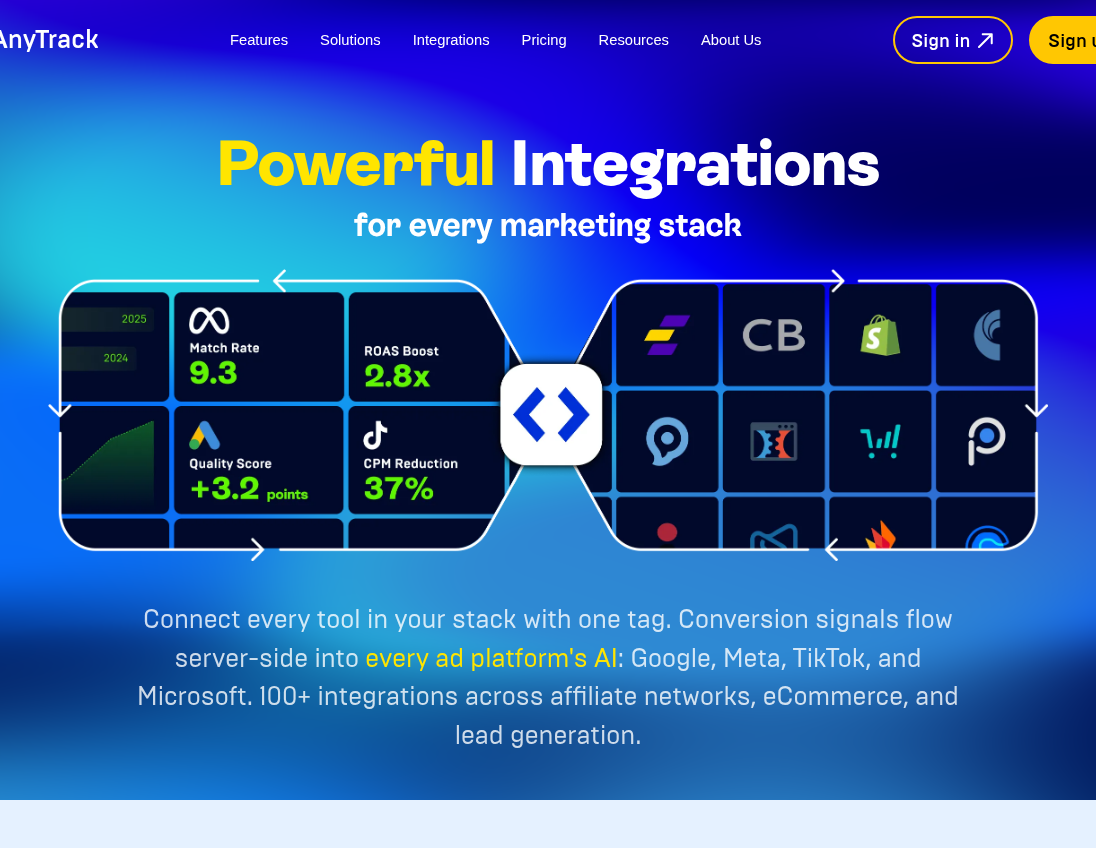
Three jobs, in order. It collects every event on your site with both client-side and server-side tracking, so a blocked pixel does not mean a lost sale. It rebuilds the customer journey by tying each conversion back to the click and campaign that drove it, using its own click ID rather than a third-party cookie. Then it feeds that enriched data to Meta, Google, TikTok, Microsoft, Taboola and Outbrain in real time, so their bidding engines optimize on real revenue instead of last-click guesses.
For affiliates the flow is specific. AnyTrack creates a click ID when a visitor lands, appends it to your affiliate link as the network's SubID, and waits for the network's postback after a sale. It supports more than 90 affiliate networks out of the box, plus ecommerce platforms, CRMs, funnel builders and checkout providers. That is why it turns up in affiliate threads as a way to move conversion data between a network and an ad account without a redirect tracker in the middle.
Where it fits, and where it does not
In practitioner threads, AnyTrack gets placed as a CAPI feeder, not a full reporting suite. One r/PPC comment sorts the field cleanly: tools like Elevar and Hyros lean toward third-party ecommerce reporting, while AnyTrack is aimed at Facebook CAPI specifically. That matches who likes it. Paid-traffic affiliates and DTC brands who mainly need clean conversions pushed back to the platforms get the most out of it.
It is also not an affiliate network. AnyTrack's own docs say it does not handle commission payouts, offer management or fraud detection. And unlike RedTrack or Voluum, it does not pull your ad spend in to compute ROI for you across every source. It is a conversion layer, not a media-buying command center. If you run pop, push or native at volume and want cost sync and campaign tables, a dedicated tracker fits the job better.
The accuracy reality
When the setup is right, buyers report it works. The catch is that "right" carries weight. Attribution holds only while the click-ID chain stays intact, and AnyTrack's docs list the ways it breaks: a missing tag, non-standard links or buttons, link shorteners that strip parameters, or a wrong postback token. On Shopify, the most common early complaint is duplicate events, where AnyTrack's GA4 integration double-counts add-to-cart against events a store already fires. It is fixable by switching off the overlapping events, but it means the first week is a setup project, not a switch you flip.
Support and billing are the real risk
The loudest negative pattern is not accuracy, it is service. Across review sites and threads, the recurring complaints are unanswered support tickets, billing friction and trial-cancellation disputes. AnyTrack's public footprint is thin, which makes this harder to read: two reviews on G2, and 3.4 out of 5 from eleven reviews on Trustpilot, where nearly half are one star. The vendor disputes parts of the criticism publicly and has issued refunds in some cases, but the pattern is consistent enough to plan around. Test support during the trial, before your card is charged.
How the pricing works
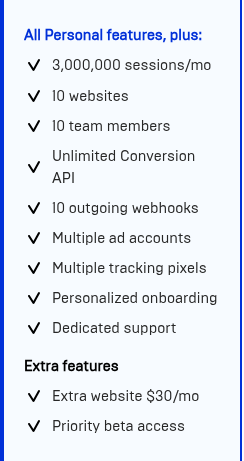
AnyTrack prices by tracked sessions, not events or seats. The free plan is real: 5,000 sessions a month, one site, one ad platform, and no server-side feed. Paid plans open at $100 a month for Starter (100,000 sessions and the full integration set), $150 for Personal (500,000 sessions, three sites, GA4 and cross-domain tracking), and $300 for Advance (3 million sessions, ten sites, dedicated support). Annual billing takes two months off. The line to watch is overage: go past your session cap and you pay $0.40 to $0.20 per 1,000 sessions, billed automatically, and you cannot switch it off on a paid plan. A traffic spike is a bill, not a warning.
Bottom line
AnyTrack earns its place for one reader in particular: the ecommerce or affiliate marketer who buys paid traffic, needs conversions fed back to the ad platforms, and does not want to hire a developer to do it. The no-code setup and the affiliate-network coverage are genuine strengths. Go in with two things in mind. Budget for the setup week, and use the 14-day trial to test both the data and the support before you commit.