A full cloud tracker against a no-code conversion feeder
ClickFlare vs AnyTrack
By Dana Rourke, Lead reviewer. Reviewed by Campaign Buyer Editorial. Updated 23 September 2026.
Quick answer
Pick ClickFlare if you buy paid traffic on Meta, Google or TikTok and want a full campaign tracker that syncs your ad spend, shows ROI by source, lander and offer, and feeds conversions back through the ad platforms' APIs; pick AnyTrack if you run a Shopify store or your own site and mainly need no-code conversion attribution fed back to the ad platforms and across affiliate networks, without wiring up campaign tracking. ClickFlare is the fuller media tracker, and cost sync is the line: it shows which source made money, not just that a sale happened. AnyTrack is the no-code feeder, and it earns its place when that job is the whole job, though its outside proof is thinner and leans negative on support.
Side by side
| ClickFlare | AnyTrack | |
|---|---|---|
| What it is | Full cloud ad tracker | No-code conversion feeder |
| Best-fit user | Meta, Google, TikTok buyers | Shopify, own-site owners |
| ROI by source, ad-cost synced | Yes, every plan | No, feeds conversions only |
| CAPI to ad platforms | Yes, 5 platforms | Yes, 6 platforms |
| Affiliate networks | By postback | 90+ integrations |
| Pricing model | By events, from $69/mo | By sessions, free then $100/mo |
| Free plan | No, 14-day no-card trial | Yes: 5K sessions |
| Outside proof | Thin, all five-star | Thin, 3.4/5, disputed |
If you are down to ClickFlare and AnyTrack, you have narrowed to two cloud tools a paid-traffic buyer can run with nothing to install, and both promise conversion numbers you can trust more than the ad account's own ROAS. The split is not hosting, because neither asks you to run a server. It is how much tracker you actually need. ClickFlare is a full media-buyer tracker that syncs your ad spend and shows which source, lander and offer made money, then feeds the ad platforms for you. AnyTrack is a no-code conversion feeder that attributes sales on your own site and pushes them back to the ad platforms and your affiliate networks, and stops there. Decide whether you need to read campaign ROI or just move conversions, and the rest mostly settles itself.
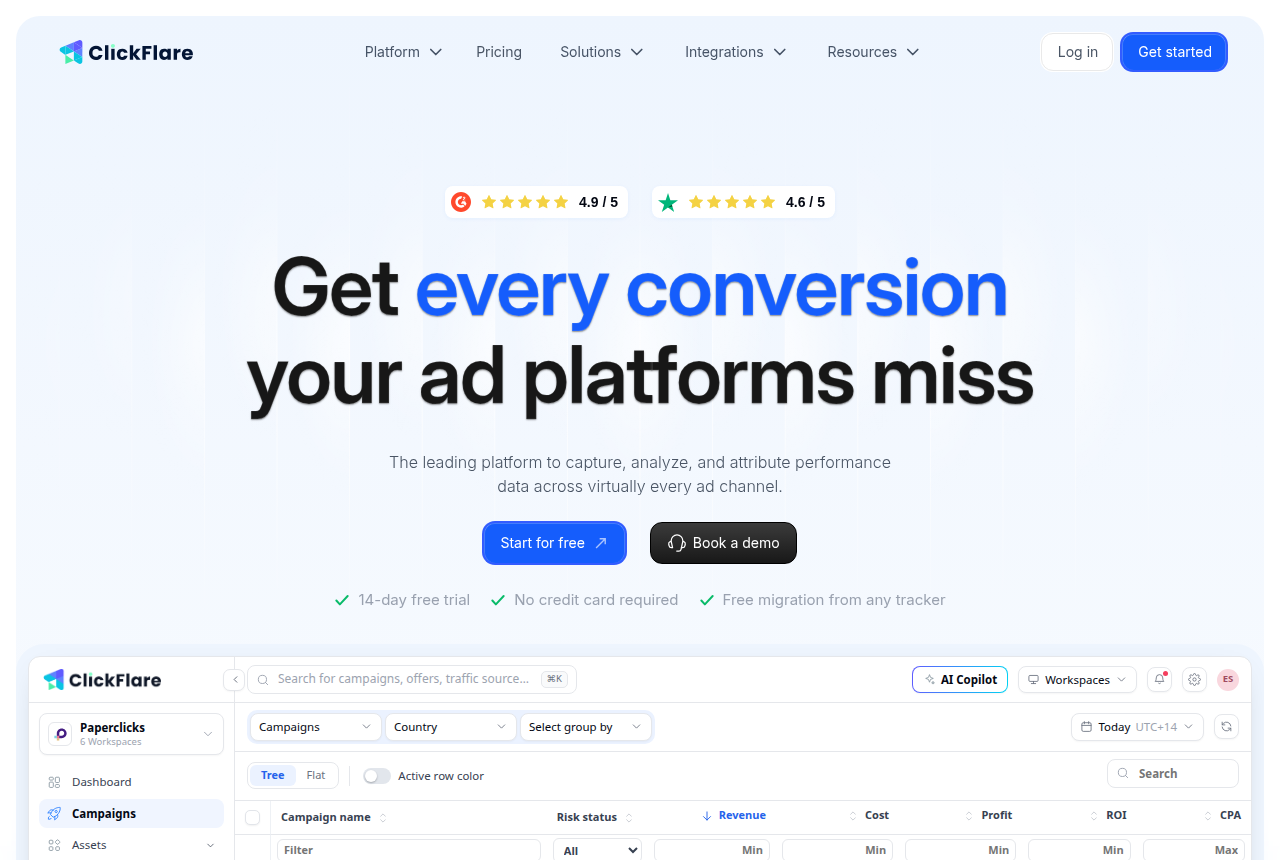
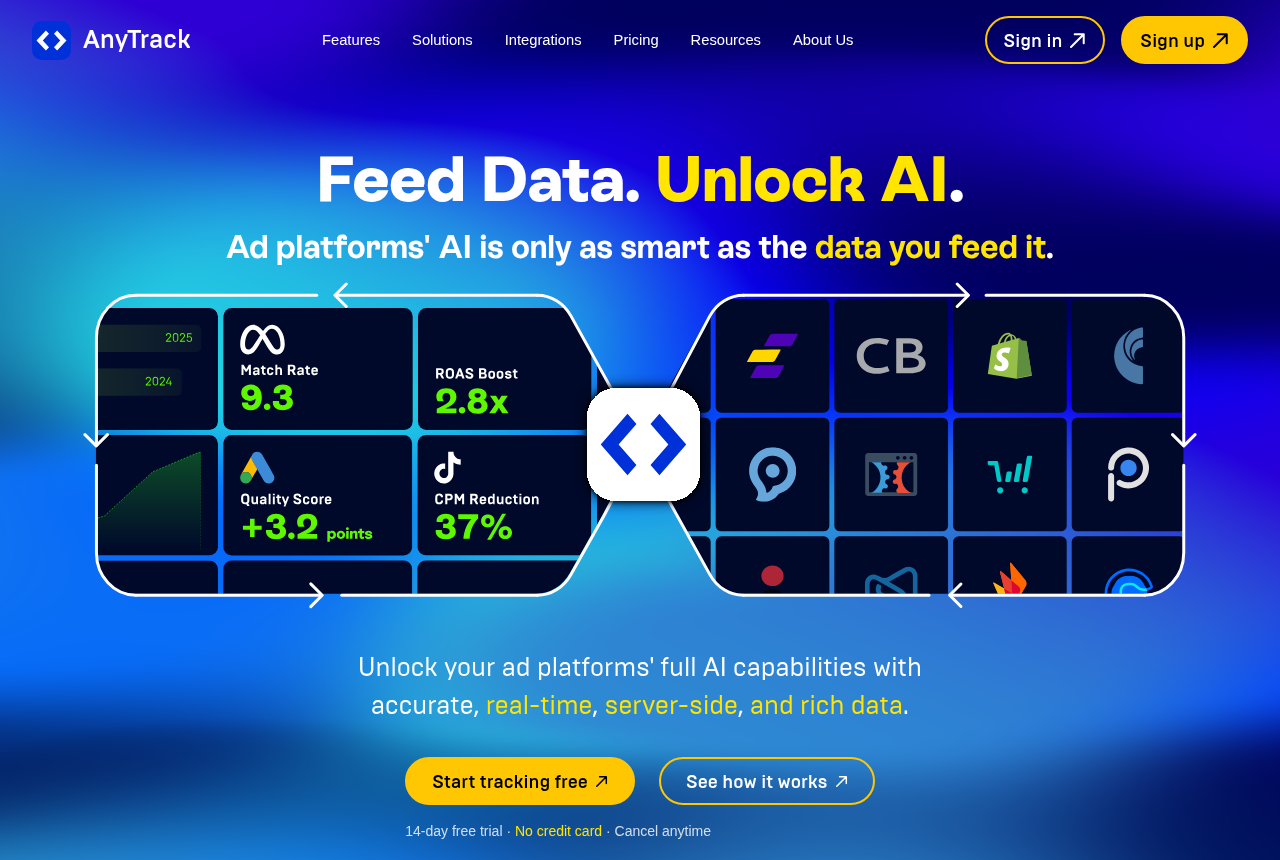
ClickFlare captures conversions server-side, sends them back to Meta, Google, TikTok, Snapchat and Reddit through their conversion APIs, and pulls your ad cost in automatically so it can compute ROI without a manual upload. AnyTrack drops a tag on your site, stamps its own click ID, and fires conversions out to six ad platforms and 90-plus affiliate networks through their APIs, with no campaign cost sync behind it. One is a media tracker with a feeder built in. The other is the feeder on its own, done no-code.
The two questions that decide it
Answer these before you weigh a single feature. First: do you need to know which paid source made money, or only that a conversion happened? If you buy media across sources and live on a cost-aware ROI table, you need ad-spend sync, and that is ClickFlare's core job and something AnyTrack does not do at all. If your ad platform and your networks just need the conversion signal and you read ROI elsewhere, AnyTrack covers that without the heavier setup. Know which of those sentences is yours and you are most of the way to an answer.
Second: are you running campaigns or running a store? AnyTrack was built for the person who owns the site or Shopify storefront and wants no-code attribution fed back everywhere, without learning tokens, postbacks or a campaign-tracking model. ClickFlare assumes you are buying traffic to offers and landers, possibly on domains you do not own, and want to track them at the source, campaign and offer level. A store owner who wants clean purchase data in their ad accounts is served by the feeder; a buyer optimising paid campaigns is served by the tracker.
ClickFlare: cost sync and campaign ROI, hosted
ClickFlare has run since January 2021 and positions itself plainly as the cheaper replacement for Voluum and RedTrack. It is a full media-buyer tracker, not a light one. It captures conversions server-side with both redirect and direct tracking, so a blocked pixel or an iOS restriction does not silently drop the form fill or the sale. It fires those conversions back to Meta, Google, TikTok, Snapchat and Reddit through their conversion APIs, and it pulls your ad spend in automatically to compute ROI by source, lander and offer. An AI Copilot, traffic-routing tools and a tag manager come with it. The feature that separates it from a feeder is that cost sync and CAPI are both on every tier, including the $69 Starter, so the tracker tells you which campaign was profitable rather than only telling the platforms a sale happened. The ClickFlare review covers how well that holds up.
The limits are worth stating flat. Independent proof is thin: a couple of dozen Trustpilot reviews, all five-star, and light organic discussion next to the older incumbents, with Trustpilot itself flagging that the sample may not be representative. Cost sync also lags on the lower tiers, refreshing hourly on Starter and Pro, so an hour-old ROAS can mislead on a fast-moving campaign. And everything counts as an event, so high-volume pop or push traffic burns a tier faster than the plan names suggest. The counter to all of it is the 14-day trial with no card and a free done-for-you migration: prove the tracking on your own traffic and trust that over any score. It sits fourth in our ad tracker ranking, ahead of AnyTrack at seventh.
AnyTrack: no-code attribution, fed everywhere
AnyTrack is the tool for the person who does not want to run a campaign tracker at all. You drop its tag on your site or Shopify store, it stamps its own click ID, and it attributes leads and sales server-side and client-side, then feeds those conversions back to Meta, Google, TikTok, Microsoft, Taboola and Outbrain through their APIs and out to more than 90 affiliate networks. For a store or own-site owner without a developer, that breadth of destinations and the no-code setup are the whole appeal, and buyers who get the click-ID chain wired correctly report it works well for exactly that, with Facebook CAPI the destination people mention most. The AnyTrack review covers where that on-ramp pays off.
The trade is what it does not do. AnyTrack has no automatic ad-spend sync, so it will not show you ROI by source the way a media tracker does; it moves conversions, it does not price campaigns. It bills by sessions with an overage you cannot switch off on a paid plan, so a traffic spike or a bot wave can push the bill past what you planned. Setting up Shopify events without duplicating them is a common source of friction. And its outside proof is both thin and negative: 3.4 out of 5 across 11 Trustpilot reviews with close to half at one star, two reviews on G2, and recurring complaints about support and billing, including trial cancellation. None of that means it fails at its job, but it does mean you should test the click-ID chain and the billing carefully inside the trial. It sits seventh in our ranking, and the gap to ClickFlare is what this page is really about.
Where the pricing diverges
The two count different units, so the entry prices do not line up. ClickFlare bills by events, where a visit, a click, a conversion and a postback each count. Starter is $69 a month billed yearly for a million events, Pro is $169 for five million and Master is $329 for twenty million, with overage billed per thousand rather than a hard stop, and the vendor says the price has not risen since 2021. AnyTrack bills by sessions: a free plan capped at 5,000, then $100 a month for 100,000 on Starter, $150 for 500,000 on Personal and $300 for three million on Advance, with annual billing giving two months free. Its overage runs $0.40 down to $0.20 per 1,000 sessions and cannot be disabled on a paid plan, and each extra site is $30 a month.
Read both on your real volume, not the entry line. AnyTrack's free tier and $100 Starter can look cheaper than ClickFlare's $69 events plan until you count sessions against events and add the automatic overage and the per-site fee. What the spend on ClickFlare buys that AnyTrack does not sell at any tier is ad-cost sync and campaign ROI, which a media buyer uses daily and a store owner feeding conversions may never need. Count your real monthly volume on both, price the overage in, and the cheaper honest number depends entirely on which job you are buying. Pricing was verified against each vendor on the date shown on this page; check before you buy.
A third path, if you host the funnel yourself
Neither tool builds or hosts the funnel it measures. Both watch conversions on pages and checkouts that live elsewhere, then feed a signal back to a network or an ad platform after the fact. ElasticFunnels owns that middle instead. It is a funnel platform for teams running paid traffic that builds the landing pages, split-tests variants under one URL so the ad platform never resets its learning, and hosts the checkout with order bumps and upsells, then keeps its ad-spend and conversion reporting on the same data layer as the pages, the CRM and the sale. Because a purchase closes in a checkout it hosts, that sale is a first-party event it records directly rather than a click it has to match later, and it fires affiliate postbacks and reports ad spend against conversions from the same record. It starts with a 14-day free trial that takes no card, on plans from $97 a month, plus 0.5% of revenue processed through its hosted checkout and nothing on sales you run through outside networks.
The honest caveat keeps it on its own line rather than in the head-to-head: ElasticFunnels is newer than either tool here, and there is very little independent third-party review coverage to check its claims against, so until you run real volume through it you are largely taking the vendor's word for how its reporting holds up. That is what you would expect of a platform this recent, and both ClickFlare and AnyTrack have public setups to check against instead. Its reporting also covers the funnels it hosts: an affiliate attributing conversions across offers on domains they do not own still needs a feeder like AnyTrack, and a buyer sending paid clicks to pages ElasticFunnels does not host still needs a campaign tracker like ClickFlare. It is an option for the seller who runs their own pages and checkout end to end, not a replacement for either tool.
Which one for you
You buy paid media and need ROI by source with your ad accounts fed: ClickFlare. Automatic cost sync and CAPI to five ad platforms on every plan, at a flat $69, cover the decision that matters most to a media buyer, and there is nothing to run. Accept the thin outside proof, estimate your event count before you pick a tier, and test on your own traffic first.
You run a store or your own site and just need conversions attributed and fed: AnyTrack. No-code setup, Shopify and 90-plus network integrations, and its own click ID make it the simpler route when campaign ROI is not the point. Budget for the session overage you cannot turn off, and check the Shopify event setup and support carefully in the trial.
You host your own pages and checkout end to end: look at ElasticFunnels alongside them, with the newness caveat above in mind, and keep a dedicated tracker or feeder for any traffic that lands on domains it does not host.
ClickFlare takes our default pick here, not because AnyTrack fails at its job, but because most readers weighing these two are buying paid media and want to know which source made money with their costs synced in, and that is a media-tracker job AnyTrack does not do. For the store owner who only needs conversions attributed and fed everywhere, AnyTrack is the better and simpler fit, and it is why it holds seventh in our ranking while ClickFlare sits fourth. If you want to weigh AnyTrack against a cheaper campaign tracker, BeMob vs AnyTrack covers that fork, and Binom vs ClickFlare and ClickFlare vs BeMob weigh ClickFlare against a self-hosted tracker and a free-to-learn one. The full field sits in our head-to-heads.
ClickFlare
What works
- Cost sync and CAPI are on every tier, including the $69 Starter. You pull your spend in, compute ROI and send conversions to Meta, Google and TikTok server-side, without a paid upgrade and without handing over a cut of your budget.
- Flat pricing that undercuts Voluum on the same event model. The vendor says the price has not risen since it launched in 2021, and there is no percentage of your budget layered on top.
- Server-side capture with both redirect and direct tracking, so a blocked pixel or an iOS restriction does not silently drop the form fill or the sale.
- Free done-for-you migration and fast human support are the two things public reviewers single out most, alongside a setup that is smoother than trackers usually are.
- A real 14-day trial with no card, plus a 99.99% uptime record since January 2021, so you can prove the tracking on your own traffic before you pay.
What to watch
- Thin independent proof. A couple of dozen Trustpilot reviews, all five-star, and little organic Reddit discussion. Trustpilot itself flags that the sample may not be representative, so the trial is your real due diligence, not the scores.
- Everything counts as an event. Every visit, click, conversion and postback draws down one limit, so high-volume pop or push traffic burns the cap faster than the plan names suggest. Estimate your real event count before you pick a tier.
- Spend data lags on the lower tiers. Starter and Pro refresh hourly and Master every 30 minutes, with near-real-time updates a paid add-on. On fast-moving campaigns an hour-old ROAS can mislead you.
- Less battle-tested at extreme scale than Voluum. For the heaviest automation rules and deepest anti-fraud, the older incumbents still have the longer public track record.
- Billing is charged in advance and is generally non-refundable, and you cancel inside the account rather than by asking support. Export your data before you leave.
AnyTrack
What works
- No-code setup. You connect the tag and your ad accounts from a dashboard instead of standing up a server-side Google Tag Manager container.
- Server-side and client-side tracking run together, so a blocked pixel or an iOS restriction does not silently drop the conversion.
- Feeds conversions back to six ad platforms through the Conversion API, and covers 90+ affiliate networks, ecommerce platforms and CRMs out of the box.
- A real free plan and a 14-day trial with no credit card, so you can prove the tracking before you pay.
What to watch
- Support and billing draw the most complaints. Unanswered tickets and trial-cancellation disputes recur across Trustpilot and PPC threads, so test support inside the trial.
- Thin independent proof. Two reviews on G2 and 3.4 out of 5 from eleven reviews on Trustpilot make it hard to sanity-check against the crowd.
- Session-based pricing with automatic overage. A traffic spike pushes you past your cap and bills $0.40 to $0.20 per 1,000 sessions, and you cannot switch it off on a paid plan.
- No automatic ad-spend sync. Unlike RedTrack or Voluum it does not pull your cost in to compute ROI across sources, so it is a conversion feeder, not a full media tracker.
Pricing
ClickFlare: from $69/mo, billed yearly. Priced flat by monthly events, not a percentage of ad spend. Events count visits, clicks, conversions and postbacks together. Starter is $69/mo billed yearly ($89 monthly) for 1M events, Pro $169/mo yearly ($219 monthly) for 5M, Master $329/mo yearly ($429 monthly) for 20M, then Agency $559, Enterprise $959 and Corporate $1,759 (yearly). Overage runs $0.04 per 1,000 events on Starter down to $0.015 on Corporate and never stops your tracking. CAPI, the AI Copilot, the tag manager and synced ad costs come standard from the Starter tier up. 14-day free trial, no card, plus free done-for-you migration from another tracker.
AnyTrack: from $100/mo, or free. Free forever plan ($0): 5,000 sessions/mo, 1 website, 1 ad platform, 1 conversion source, no Conversion API. Paid: Starter $100/mo (100k sessions, all 6 ad platforms, 100+ integrations, real-time CAPI), Personal $150/mo (500k sessions, 3 sites, GA4, cross-domain, webhooks), Advance $300/mo (3M sessions, 10 sites, 10 seats, dedicated support). Annual billing gives two months free. Overage runs $0.40 to $0.20 per 1,000 sessions and cannot be turned off on paid plans; extra websites are $30/mo on Advance. 14-day trial, no card.
Pricing verified against each vendor on 2026-09-23. Check before you buy.
Our pick
ClickFlare
ClickFlare is real. It is an established cloud tracker, running since 2021 and used by 3,500-plus media buyers, that does what Voluum and RedTrack do: server-side capture, CAPI to Meta, Google and TikTok, and spend pulled in for you to compute ROI, all on one flat price. You are unlikely to regret it if you run the 14-day no-card trial against your ad platform's own numbers first. The one real caveat is thin public proof, so trust the trial, not the review scores.
Frequently asked questions
ClickFlare or AnyTrack: which should I use?
Which is cheaper, ClickFlare or AnyTrack?
Do ClickFlare and AnyTrack do the same thing?
Which one syncs my ad spend to show ROI?
Is AnyTrack better for a Shopify store?
Which is more proven, ClickFlare or AnyTrack?
Sources
Other sources
5 discussions and reviews read for this page. Quotes are excerpts; open a link to read the original in context.
- [rd-does-job] Please Help To Track Conversions In Google Ads
- [rd-positioning] Keitaro vs RedTrack vs Voluum - which one for popunder affiliate with S2S tracking?
- [tp-support] ClickFlare Reviews
- [tp-setup] ClickFlare Reviews
- [tp-sample] ClickFlare Reviews

Written by
Dana Rourke
Lead reviewer
Dana Rourke is the lead reviewer at Campaign Buyer. She owns the tracker and attribution coverage: reading what long-term users report about each tool, checking its documentation and pricing, and verifying prices with the vendor before writing the verdict. Keeping the rankings honest mostly means writing down what the top pick gets wrong, so she does that first.
Last checked 2026-09-23